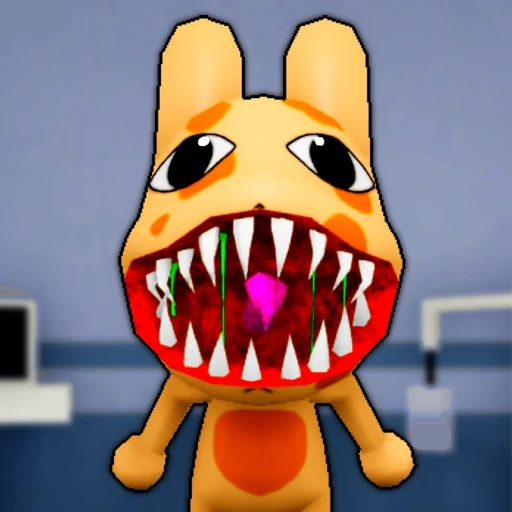
Featured Game Hub
Animal Hospital Roblox Guide: Anomalies & First Shift
A night-shift clinic hub for the first treatment tutorial, Shift 2 anomaly screening, three-pass patient checks, wrong-treatment safety, and a saved symptom checker.
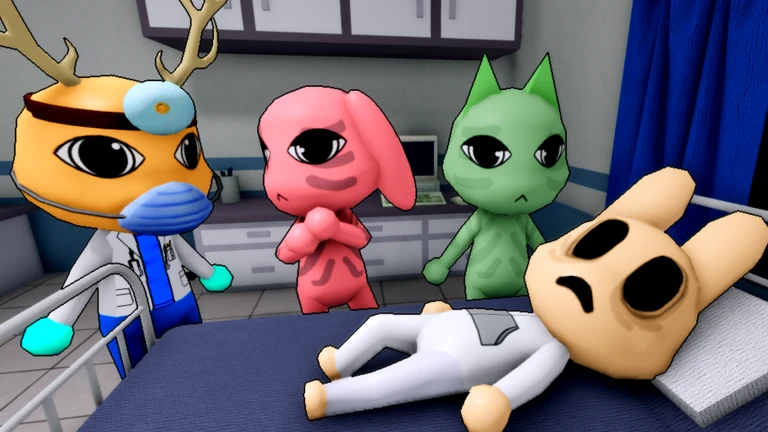
Animal Hospital is a Roblox night-shift game about checking in animal patients, diagnosing illnesses, applying the exact treatment shown by the hospital, and stopping anomalies before they enter. Shift 1 is a safe two-patient tutorial. From Shift 2 onward, check appearance, the fully developed patient photo, and security cameras before opening the route.
Version focusLive Roblox build, checked July 17, 2026
Current statusThe first-shift route and 18-signal anomaly checker were reviewed for the live Roblox build on July 17, 2026. Recheck unusual behavior after major game updates.
Official pageOpen official page
Night Shift Board
Learn The Safe Loop Before Anomalies Start
Shift 1 teaches treatment. Shift 2 adds the real screening job: read the patient, wait for the photo, then compare CCTV before opening the route.
Learn the treatment loop
Two scripted patients teach check-in, diagnosis, remedies, and recovery without an anomaly decision.
Start screening patients
Use visible appearance, the fully processed photo, and security cameras before opening the hospital route.
Protect the recovery stage
Follow the treatment display exactly and keep watching patients whose earlier signals did not agree.
First Shift Checklist
Finish The Tutorial With A Clean Three-Pass Plan
Reveal tutorial treatment
Stomach Ache -> Herbs
Reveal tutorial treatment
Dried Eyes -> Eye Drops
Solo / Team Split
Keep One Owner For Each Decision
Solo players run these in order. Teams assign the handoff so reception and treatment do not make different guesses.
Read the patient and monitor first, then stop moving while the photo develops.
Own the shutter decision and say the patient name before anyone admits them.
Compare the same patient in the window, photo, and CCTV before leaving reception.
Call out only visible differences: face, ears, body movement, or camera-only form.
Run diagnostics, read the screen, collect the exact remedies, then apply them in order.
Repeat the required remedies aloud so two players do not improvise different treatments.
Return to recovery after treatment instead of assuming the patient is finished.
Watch recovery rooms and keep the route clear while the treatment player works.
Animal Hospital turns a simple clinic shift into a three-part observation test. A patient can look normal at the reception window, produce a suspicious photo, or reveal a different face or body only through CCTV. The safest habit is to slow the admission down: look at the patient, wait for the photo to finish, and compare a security-camera view before opening the route.
Use the saved Night Shift Board above during your first session. It keeps the tutorial answers folded away, records the steps you have finished in this browser, and gives solo players and teams the same handoff order.
Start With Shift One
Shift 1 is for learning the hospital, not for hunting anomalies. The two patients are scripted tutorial cases, so you can focus on how the reception desk, diagnosis display, remedy collection, treatment, and recovery rooms connect.
The first patient is a Stomach Ache case treated with Herbs. The second patient has Dried Eyes and needs Eye Drops. Those answers are available inside the checklist, but they stay collapsed so a new player can follow the screen without seeing the solution immediately.
Treat the display as the authority even when you remember the answer. That habit matters later because a rushed player can carry the correct item for the wrong patient, miss a second remedy, or act on an old diagnosis after teammates have moved the route forward.
Use this first-shift order:
- Receive the patient and complete check-in.
- Follow the diagnostic step shown by the hospital.
- Read every remedy listed on the treatment display.
- Collect the exact items before applying anything.
- Finish treatment and watch the patient move into recovery.
- Complete the shift and confirm that shutters and cameras are available.
The goal is not speed. A clean Shift 1 gives you a repeatable treatment routine before the game adds patients that should never be admitted.
What Changes In Shift Two
Shift 2 adds the screening decision. The shutter gives reception a safe barrier, while security cameras let you inspect clues that may not appear on the normal patient model. The patient photo adds another comparison point, but only after it has fully developed.
That creates two separate jobs:
| Job | Question to answer | Safe result |
|---|---|---|
| Screening | Does this patient remain consistent across the window, photo, and CCTV? | Admit only after the views agree or a doubtful clue has been checked again |
| Treatment | What diagnosis and remedies does the hospital display require? | Apply the exact listed treatment to a normal patient |
Do not merge those jobs into one guess. An unusual-looking patient should be screened before admission; a normal patient who is already inside should be treated from the display, not punished because someone feels uncertain.
Check Every Patient In Three Passes
The three-pass check is the main Animal Hospital habit to carry into every later shift.
Pass one: appearance. Read the face, eyes, ears, posture, and idle movement at the reception window. Look for stable differences, not one frame of an animation. If the head tracks you, the body twitches, or the face is clearly altered, keep the shutter between the patient and the hospital while you confirm it.
Pass two: photo. Wait for the patient photo to finish developing. Compare individual features: eye count, eye color, ear shape, ear color, mouth, and overall face. A vague feeling is harder to use than a specific mismatch. Do not pick up a forming photo early just to save a few seconds.
Pass three: security camera. Use CCTV before admitting a case that still feels wrong. Some signals are camera-only: blacked-out eyes, a void-black body, unnatural movement, mismatched ears, or a disguised form. Stay on the view long enough to see one idle cycle, and switch angle when darkness or a blocked camera could explain the image.
Open the Animal Hospital anomaly symptom checker when you can describe the clue but cannot remember the safest next check.
What A Wrong Treatment Costs
The hospital gives the team three animal lives. Using a wrong treatment on a normal patient can remove one of those lives, so treatment is not the place for improvisation.
| Risky move | Better move |
|---|---|
| Grabbing a remembered remedy before reading the screen | Wait for the displayed diagnosis and collect every listed item |
| Treating a normal patient as an anomaly after admission | Separate the earlier screening decision from the current treatment job |
| Applying one remedy while another player is still reading the display | Repeat the remedy list aloud and let one player own treatment |
| Leaving immediately after treatment | Check recovery again, especially when earlier views did not agree |
If the team loses track of the case, stop and rebuild the chain: patient name, room, diagnosis, required remedies, then recovery status. A short pause costs less than a lost life.
Solo And Team Role Split
Solo players should run Reception, Photo/Camera, Treatment, and Safety in that order. Finish one decision before moving to the next station. The saved board above turns that route into a compact shift reference.
Teams work best when each decision has one owner:
- Reception controls the shutter and says which patient is being checked.
- Photo/Camera reports visible differences without turning them into an instant verdict.
- Treatment repeats the diagnosis and remedy list before applying anything.
- Safety watches recovery and keeps other players from opening a dangerous route by mistake.
Clear callouts are short and observable: “left ear changed in photo,” “body black only on lobby camera,” or “photo still developing.” Avoid callouts such as “probably safe” until the three views have been compared.
When To Open The Anomaly Checker
The checker is most useful when you already know where the clue appeared. Search a natural word such as eyes, ears, twitching, static, photo, or camera, then narrow the results by Appearance, Photo, or Security Camera.
Use it for four situations:
- A face or movement looks wrong, but you need a second view to confirm it.
- The photo and reception model do not match.
- CCTV shows a clue that the window did not show.
- A patient is already inside and needs extra recovery attention.
Save uncertain rows to the Shift Watch List when more than one patient is moving through the clinic. The list stays in this browser until you remove the signal or reset the tool.
Current-Build Caveats
Animal Hospital can change through Roblox updates. A clue may become easier to see, appear in a different room, or gain a later recovery behavior. Use this guide as a decision route, then trust what the live patient, fully developed photo, current camera view, and treatment display show in your session.
Static on a photo deserves special care. Static by itself is a reason to check again, not proof that the patient is a Mimic. Keep the shutter closed, let the image finish, compare another feature, and use CCTV before making the call.
The current loop continues through shifts and staged unlocks. This page does not claim a final ending or a fixed last shift. If a future update adds one, the route should be checked again before that behavior is treated as settled.
Next Page To Open
Open the Animal Hospital Roblox Anomalies Symptom Checker before Shift 2. Start with the channel where you noticed the clue, save anything that needs another look, and keep spoiler-light mode on if you only want the safe action rather than later event details.
FAQ
What is Animal Hospital on Roblox?
Animal Hospital is a cooperative night-shift game where players receive animal patients, diagnose their illnesses, apply treatments, and screen for abnormal patients before letting them enter the clinic.
What happens in Shift 1 of Animal Hospital?
Shift 1 is a two-patient treatment tutorial. The cases are scripted normal patients, so use the shift to learn check-in, diagnosis, remedies, and recovery instead of searching for anomalies.
When do anomalies start in Animal Hospital?
Anomaly screening begins in Shift 2, after Shift 1 unlocks the shutters and security cameras. From that point, compare the patient at reception, the developed photo, and CCTV before admitting an uncertain case.
Does Animal Hospital have infinite shifts?
The current game loop is built around continuing shifts and unlocking more pressure over time. Do not assume there is a final ending or fixed last shift unless the current Roblox build clearly adds one.
What happens if you use the wrong treatment?
A wrong treatment on a normal patient can cost one of the hospital's three animal lives. Read the treatment display and use the exact requested remedies instead of guessing from memory.