
Guides
Heartopia Shops Guide: Merchants, Stock, and Routes
Quick Answer
Check shops after codes and requests but before a long route. Buy only what supports today: seeds for crops, food for events, materials for building, or gifts for NPC routes.
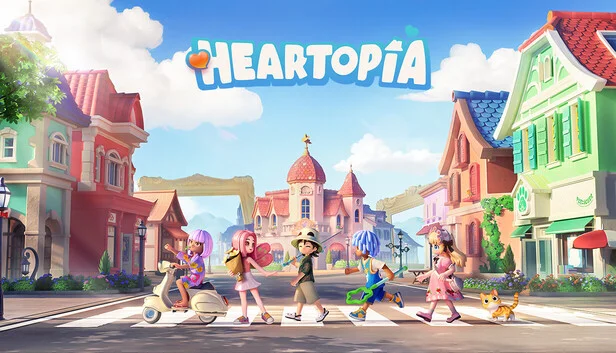
Shops in Heartopia are route decisions, not shopping lists. A good shop check tells you whether to buy seeds, food, materials, gifts, or nothing. If you buy everything that looks useful, you can delay D.G. progress, home expansion, and the next tool you actually needed.
Last checked: May 23, 2026. Map and shop routes can change with updates or weather. Check current stock in-game before spending a large amount of Gold.
Quick Answer
Open shops after codes, mailbox, and requests. Buy for the route you are about to run. If an item does not support crops, cooking, pets, gifts, events, materials, or building, skip it for now.
Shop Priority Table
| Buy type | Buy when | Skip when |
|---|---|---|
| Seeds | You can water and process them | Your field is already too large |
| Food | You need stamina for events, bugs, fish, or routes | You have enough cooked food |
| Gift item | It fits a tracked NPC route | You have not tested common gifts yet |
| Material | It matches a current build or repair need | You do not know the next requirement |
| Tool or upgrade item | It unlocks a repeated route improvement | It delays a more urgent D.G. or home goal |
| Cosmetic | It is limited or planned | It blocks progress spending |
Shop Route By Session
| Session | Shop habit |
|---|---|
| Short login | Check only urgent stock and avoid big buys |
| Crop day | Buy seeds after checking field size and budget |
| Event day | Buy food, bait, or supplies tied to the event |
| Gift day | Buy common test gifts, not rare splurges |
| Build day | Confirm material costs before buying |
Weather And Shops
Weather should change your shopping plan. Rain, snow, rainbow, and meteor conditions may create a better map route than ordinary errands. If a weather-linked merchant or material route is active, check it before spending Gold on routine supplies.
Doris And Weather Checks
Doris is a weather-related anchor. Treat weather-linked NPCs and merchants as conditional stops. If the weather is normal, they may not control the route. If weather is rare, they can become the reason to open the map first.
Common Shop Mistakes
| Mistake | Better habit |
|---|---|
| Buying seeds before checking time | Plant only what you can water |
| Spending Gold before D.G. planning | Check unlock and plot costs first |
| Buying gift items without notes | Use the friendship tracker |
| Ignoring weather stock | Read weather before leaving town |
| Treating cosmetics as harmless | Limited cosmetics can still block progress spending |
Best Shop Loop
The clean loop is codes, mailbox, requests, weather, shop, then route. If you shop before knowing requests or weather, you may buy the wrong supplies. If you shop after a long route, you may forget why you came. The shop should sit between planning and action.
Next Pages To Open
- Heartopia Map
- Heartopia Weather Guide
- Heartopia Crop Planner
- Heartopia Materials
- Heartopia Daily Checklist
Sources
Merchant Check Order
| Order | Stop | Reason |
|---|---|---|
| 1 | Mailbox | Codes may give Gold or materials before shopping |
| 2 | Requests | Daily needs can change what to buy |
| 3 | Weather | Rare weather can change merchant priority |
| 4 | Main shop route | Buy for today’s route only |
| 5 | Storage | Put materials and gifts away before a long route |
What To Buy By Goal
| Goal | Better buy | Skip |
|---|---|---|
| Cooking | Recipe inputs you can process today | Ingredients for dishes you have not unlocked |
| Crops | Seeds that fit your time and budget | Huge seed buys before D.G. costs |
| Pets | Common test food | Rare dishes without pet notes |
| Gifts | Common NPC test gifts | Expensive food before tracking reactions |
| Building | Missing materials from the current project | Random materials with no project |
| Events | Supplies named by the event | Ordinary stock during a limited timer |
Shop Notes For New Players
New players should shop less than they think. Early Gold is useful for unlocks, tools, plots, and route flexibility. A few good purchases beat a full bag of maybe-useful items. If you do not know what the item supports, leave it until the route asks for it.
Shop Notes For Daily Players
Daily players should use shops as a route checkpoint. After reset, check requests, weather, and event panels. Then buy only the supplies that help that plan. If weather changes the route, shop choice changes too.
Rotating Stock Habits
Rotating stock is worth checking, but not worth panic-buying every time. Use a simple rule: buy limited or route-critical items, skip common items unless you need them today, and store rare purchases immediately.
Before-Reset Shop Checklist
- Claim code rewards first.
- Read resident requests.
- Check weather.
- Decide whether today is crops, fish, gifts, building, pets, or events.
- Buy only the supplies for that route.
- Store rare purchases before leaving town.
Shop Purchases That Create Follow-Up Tasks
Some purchases are not finished when you buy them. Seeds require watering and harvest planning. Food may require event prep or gift tracking. Materials require storage and building checks. Pet items require care notes. If you cannot finish the follow-up today, buy less. The best shop route makes the next action easier instead of adding clutter.
What To Skip When Gold Is Tight
Skip cosmetics unless they are limited or part of a planned home design. Skip large seed buys when you cannot water the field. Skip rare gift items when the NPC reaction is unknown. Skip materials if you have not checked the project screen. Gold is route fuel. Spend it where it creates progress in the same session.
FAQ
When should I check shops in Heartopia?
Check shops after codes, mailbox, and requests, but before committing to crops, events, gifts, or building.
Should I buy every useful item?
No. Buy for today's route and leave Gold for D.G., home plots, tools, or event needs.
Do weather merchants matter?
Yes. Weather routes can change which merchant or stock is worth checking, especially rain, snow, rainbow, or meteor conditions.
What should new players buy first?
Buy only the items that support your current daily loop: seeds you can water, food you will use, or materials needed by the next upgrade.