
Featured Game Hub
Blue Lock Rivals Hub: Controls, Codes, Styles, Flows
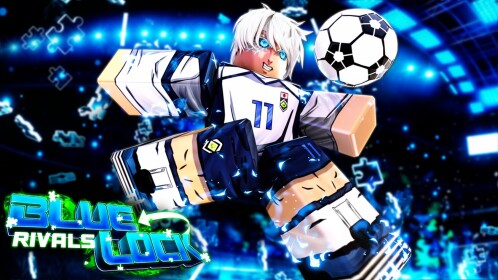
A Roblox match-prep hub for a controls button table, Codes Board, Style + Flow Finder, Spin + Pity Planner, PS5/Xbox/PC/mobile checks, match roles, and ranked-ready setup.
Popular Checks
5 quick linksSearch controls, codes, style fit, spins, route presets, and ranked readiness.
Controls Open Controls Button TableOpen PS5, Xbox/controller, PC, and mobile buttons first, then search actions and run the drill before ranked.
Codes Codes BoardCopy Try Now spin-code candidates, mark tested strings, and separate recently expired/archive rows before spending earned currency.
Styles Style + Flow FinderChoose your role, current Style, current Flow, and spin budget to get a keep, pair, reroll, or save recommendation.
Spins Spin + Pity PlannerUse normal spins, Lucky Spins, pity count, target rarity, slot lock status, and spin presets before a pull session.
All Guides
4 pagesTools & Databases
Start Blue Lock Rivals with the match workspace: confirm PS5, PlayStation, Xbox/controller, PC, or mobile controls, run the saved drill, copy and test Try Now codes for free spins, pick a role, use the Style + Flow Finder, and check odds, pity, and slot lock before spending currency.
Version focusCurrent Roblox release - June 2026
Current statusGood for June 2026 controls, code testing, Style and Flow planning, and spin decisions. Exact style stats, spin rates, code gates, and button prompts can change quickly, so confirm important choices in the live Roblox UI.
Official pageOpen official page
Controls Switcher
Find Your Input, Then Run The Drill
Pick PS5, Xbox/controller, PC, or mobile, search an action, and save the checks that prove the buttons work before ranked.
On PS5 or PlayStation, verify live prompts first. The stable test is camera, shoot, pass, tackle, style move, and menu recovery.
| Action | PS5 / Controller check | Drill target |
|---|---|---|
| Move and cameramovement | Left stick moves; right stick keeps goal, ball, or receiver in view. | Run diagonally, stop, face goal, turn away, and recover the camera. |
| Shootshooting | Use the live shoot prompt; check that right-stick aim does not drift. | Hit three close shots, then three mid-range shots before adding moves. |
| Pass or call ballpassing | Pass must be separate from shoot and easy to press while moving. | Pass left, right, and forward while moving, then turn camera first. |
| Sprint and pressuremovement | Check sprint or pressure input separately from dribble and abilities. | Sprint three lanes, release sprint, then shoot or pass without over-running. |
| Tackle or slidedefense | R1 is often listed for dribble, so verify tackle separately in the live prompt. | Wait for a touch, tackle once, then recover position without spamming. |
| Dribblestyle | R1 is often listed as the dribble input; verify it in your current UI. | Use one move, then pass or shoot immediately instead of chaining blindly. |
| Style ability rackstyle | Square, Triangle, and Circle-style prompts are often listed for ability slots. | Trigger one ability, wait for cooldown, then decide pass or shot. |
| Jump, header, or aerial touchshooting | Check jump and aerial prompt before trying volley or header plays. | Jump under one loose ball, recover camera, then attempt a simple header or pass. |
| Flow or awakeningstyle | Check the live meter prompt. Flow can activate at 30%+ bar; Awakening may need the ball. | Build meter, activate once in a safe play, then note what changed. |
| Chemical reaction requeststyle | Use the live CR prompt when a compatible teammate and style pair is available. | Queue with a compatible duo, wait for the prompt, request once, then follow the style-specific input. |
| Menu recoverymenu | You can reopen settings and recover prompts without switching input. | Open controls, close them, and return to match movement in one loop. |
No matching control row. Clear search or switch the filter back to all actions.
| Chemical pair | Trigger check | Why it fails |
|---|---|---|
| Sae x ShidouAerial finishing route | Sae Perfect Pass into Shidou Dragon Drive / CR prompt | Wrong timing after the pass or Shidou ability not ready |
| Hiori x NEL IsagiDirect-shot cutscene route | Hiori Laser Pass into NEL Isagi Lefty Shot | Laser or Lefty Shot on cooldown, or Isagi misses the receive timing |
| Kaiser x NEL IsagiIsagi dribble and pass into Kaiser shot | Kaiser requests CR, NEL Isagi answers Logical Play | Kaiser not positioned ahead, wrong prompt order, or opponent condition missing |
| NEL Reo x NEL NagiCustom pass into Nagi trap route | NEL Nagi requests CR, NEL Reo answers My Treasure | Reo too far away, copy state wrong, or Nagi trap follow-up mistimed |
| Charles x LokiFast Loki shooting route | Loki request into Charles strong pass | Wrong duo, late CR accept, or receiver not ready for the rush |
| NEL Bachira x Otoya (prompt route / live check)Monster Pass / stealth finish route when active | Bachira/Otoya support combo can move between updates | Not in the current in-game prompt set; verify live prompts before planning around it |
Codes Board
Copy, Test, and Mark Codes
Start with the high-confidence Try Now group, copy exact strings, then use Recently Expired only when the live game or Discord confirms a rerun.
Use Try Now first. Recently Expired and Archive rows are kept for reruns, spelling checks, and stale list detection.
No matching code. Clear search or switch back to all candidates.
Style + Flow Finder
Keep, Pair, Reroll, or Save
Pick your role, current Style, current Flow, and spin budget. The finder gives a practical next action before you spend currency chasing rarity.
Choose your current Style and Flow to get a role-fit recommendation.
Duo Practice Matrix
Search the pair you are actually queueing with, then mark the route only after a casual test.
No duo route matches those filters.
54 reference rows match. Use this table for data checks after the finder gives a next action.
| Pick | Rarity / odds | Class / capabilities | Pairing or buffs | Use note |
|---|---|---|---|---|
| NEL Nagistyle / S tier / high execution | World Class0.25% normal / 2.5% lucky tier | StrikerTrapping, mobility, stealing, dribbling, shooting | NEL route / 3 slotsDribbler / Awakened Genius / Prodigy | World Class striker with many on-ball and off-ball variants.very-high cost / medium ranked risk |
| NEL Rinstyle / S tier / high execution | World Class0.25% normal / 2.5% lucky tier | StrikerStealing, mobility, shooting, dribbling | Destructive ImpulsesDestructive Impulses / Soul Harvester / Emperor | Curve-shot and pressure route; live-panel checks call it a top attacker.very-high cost / medium ranked risk |
| Kaiserstyle / S tier / medium execution | Generational0.1% normal / 1% lucky tier | StrikerDribbling, mobility, shooting, stealing | Emperor-style scoring routeEmperor / Prodigy / Destructive Impulses | High-rarity striker with strong shooting identity.high cost / low ranked risk |
| Don Lorenzostyle / S tier / medium execution | Generational0.1% normal / 1% lucky tier | Defender HybridDribbling, mobility, deflection, stealing | Dribbler / Chameleon / Soul HarvesterDribbler / Chameleon / Soul Harvester | Defender hybrid with Golden Defense, counter pressure, and strong post-buff player value.high cost / low ranked risk |
| Kunigamistyle / S-A tier / medium execution | Legendary7% normal / 92.5% lucky tier | StrikerShooting, stealing | Emperor / Prodigy / King's AuthorityEmperor / Prodigy / King's Authority | Legendary direct scorer; still useful if you need power shooting without chasing Master odds.medium cost / medium ranked risk |
| NEL Isagistyle / S tier / medium execution | World Class0.25% normal / 2.5% lucky tier | Striker / all-rounderMobility, shooting, stealing | Prodigy / Awakened GeniusProdigy / Awakened Genius | Three-slot World Class route with chemical reaction value.high cost / low ranked risk |
| Saestyle / S tier / high execution | Generational0.1% normal / 1% lucky tier | All-RoundingPassing, dribbling, shooting, defending | Awakened Genius / ChameleonAwakened Genius / Chameleon | Playmaker-leaning high-rarity style with situational moves.high cost / medium ranked risk |
| NEL Bachirastyle / S tier / high execution | World Class0.25% normal / 2.5% lucky tier | Striker / dribblerDribbling, shooting, stealing, mobility | Bee Freestyle / MonsterBee Freestyle / Dribbler / Monster | World Class dribble route; best when dribble timing is clean.very-high cost / medium ranked risk |
| Lokistyle / S tier / high execution | Master0.0325% normal / 0.2% lucky tier | All-RoundingMobility, shooting, dribbling, stealing | Godspeed / speed routeGodspeed / Prodigy / Gale Burst | Master-tier speed pick; live-panel checks rank it around the S/S+ meta when movement is clean.very-high cost / medium ranked risk |
| Lavinhostyle / S tier / high execution | Master0.0325% normal / 0.2% lucky tier | Dribbler-Striker HybridDribbling, shooting, mobility | Butterfly DancerButterfly Dancer / Dribbler / Godspeed | Master striker route with long dribble chains, Ginga-style pressure, and limited defensive recovery.very-high cost / medium ranked risk |
| Aikustyle / A tier / medium execution | Mythic0.5% normal / 5% lucky tier | DefenderInterception, stealing, aerial clear | Snake / Soul HarvesterSnake / Soul Harvester / Crow | Awakening can be useful without the ball; strong defensive route.medium cost / low ranked risk |
| NEL Reostyle / A tier / medium execution | Mythic0.5% normal / 5% lucky tier | All-RoundingMobility, dashing, stealing, shooting, dribbling, passing | Chameleon / copy routeChameleon / Awakened Genius | Can copy most moves except Master styles; copy limits and bugs matter.medium cost / medium ranked risk |
| Shidoustyle / A tier / high execution | Mythic / Legendary history0.5% normal / 5% lucky tier if Mythic | StrikerAerial finishing, shot pressure | Demon WingsDemon Wings / Soul Harvester | Best when aerial timing and jump control are reliable.medium cost / high ranked risk |
| Yukimiyastyle / A tier / medium execution | Mythic0.5% normal / 5% lucky tier | Wing / dribblerDribbling, speed, shooting angles | Dribbler / Gale BurstGale Burst / Dribbler | Often paired with dribble-focused Flow direction.medium cost / medium ranked risk |
| Kingstyle / A tier / medium execution | Mythic0.5% normal / 5% lucky tier | StrikerShot power, finishing, pressure | King's Authority / EmperorKing's Authority / Emperor / Awakened Genius | Direct scoring identity; keep if your finishing timing is already steady.medium cost / medium ranked risk |
| Charlesstyle / A tier / medium execution | World Class0.25% normal / 2.5% lucky tier | PlaymakerDribbling, passing, defending | Contrarian / ChameleonContrarian / Chameleon / Awakened Genius | Best as a passing and control route, not pure finishing.high cost / medium ranked risk |
| Karasustyle / A-B tier / medium execution | Legendary7% normal / 92.5% lucky tier | Defender HybridMobility, stealing, dribbling | Crow / SnakeCrow / Snake | Defensive disruption route for players who want steals and counters.medium cost / medium ranked risk |
| NEL Chigiristyle / A-B tier / medium execution | World Class live-panel checks0.25% normal / 2.5% lucky tier if World Class | Speed / supportMobility, speed pressure, shot windows | Gale Burst / Bee Freestyle / GodspeedGale Burst / Bee Freestyle / Godspeed | Early consensus can move quickly after more ranked testing.high cost / medium ranked risk |
| Nagistyle / B-A tier / medium execution | Legendary7% normal / 92.5% lucky tier | StrikerMobility, trapping, shooting | TrapTrap / Dribbler / Prodigy | Control-heavy bridge style if you like trap timing but do not own NEL Nagi.medium cost / medium ranked risk |
| Kuronastyle / B-A tier / low execution | Epic / bridge30% normal if Epic | SupportSpacing and link play | Prodigy / LightningProdigy / Lightning | Useful bridge while saving spins.low cost / low ranked risk |
| Bachirastyle / B-A tier / medium execution | Epic / bridge30% normal if Epic | DribblerDribbling, passing, stealing | Dribbler / Bee FreestyleDribbler / Bee Freestyle | Classic dribble route while saving for NEL Bachira.low cost / medium ranked risk |
| Gagamarustyle / B tier / medium execution | Epic / utility30% normal if Epic | Defender / goalkeeper utilityDefensive saves, aerial utility | Crow / SnakeCrow / Snake | Useful when your team lacks stops.low cost / medium ranked risk |
| Otoyastyle / B-A tier / medium execution | Legendary7% normal / 92.5% lucky tier | All-RoundingShooting, mobility, stealing, dribbling | Gale Burst / DribblerGale Burst / Dribbler | Stealth/support route with Chemical Reaction relevance in some live-panel checks.medium cost / medium ranked risk |
| Hioristyle / C-B tier / medium execution | Rare62.5% normal / not in Lucky pool | PlaymakerPassing, dribbling | Chameleon / PuzzleChameleon / Puzzle | Treat as a learning bridge unless you are practicing the NEL Isagi reaction.low cost / medium ranked risk |
| Chigiristyle / C-B tier / low execution | Rare62.5% normal / not in Lucky pool | All-RoundingMobility, stealing, passive buffs | Gale Burst / LightningGale Burst / Lightning | Rare speed bridge; replace later if speed remains your main role.low cost / low ranked risk |
| Isagistyle / C-B tier / low execution | Rare62.5% normal / not in Lucky pool | StrikerShooting, dribbling | PuzzlePuzzle / Prodigy | Starter-style scoring route while learning aim and positioning.low cost / low ranked risk |
| Igaguristyle / C tier / low execution | Rare62.5% normal / not in Lucky pool | DefenderStealing, passing, aerial defense | Snake / CrowSnake / Crow | Defensive bridge for players practicing stops and aerial recovery.low cost / medium ranked risk |
| Balanced starter stylestyle / starter tier / low execution | Starter / low rarityCommon | Learning routeBasic role practice | Puzzle / LightningPuzzle / Lightning | Good enough while controls and role are still unstable.low cost / low ranked risk |
| Destructive Impulsesflow / S tier / high execution | World Class0.25% normal / 2.5% lucky tier | Aggressive FlowShot curve, shot power, speed, +3 steal, 50% bigger steal hitbox, reduced slide/skill cooldown | NEL RinNEL Rin / Kaiser / Don Lorenzo | Strong but live-panel checks warn about heavy stamina drain.very-high cost / medium ranked risk |
| Awakened Geniusflow / S tier / medium execution | World Class0.25% normal / 2.5% lucky tier | Team / all-round FlowDribble capacity, shot strength, team Flow support | Sae / creative route notesNEL Isagi / NEL Nagi / team play | Best in coordinated play when the live Flow panel still supports team pressure.very-high cost / low ranked risk |
| Soul Harvesterflow / S tier / medium execution | High-tier FlowCheck current UI | Pressure FlowPressure, disruption, aggressive conversion | Aggressive scorer / defender routeDon Lorenzo / NEL Rin / Shidou | Often ranked high, but exact buff text needs a live UI check.high cost / low ranked risk |
| Bee Freestyleflow / S tier / high execution | Mythic0.5% normal / 5% lucky tier | Dribble Flow+3 dribble amount, dribble cooldown reduction, movement speed, ankle-break boost | NEL BachiraNEL Bachira / wing dribble routes | Allows four consecutive dribbles in live-panel checks.high cost / medium ranked risk |
| Godspeedflow / S tier / high execution | Master0.0175% normal / 0.175% lucky tier | Speed FlowVelocity passive, stamina regeneration, reduced skill cooldown and stamina drain, shot/steal pressure live-panel checks | LokiLoki / Don Lorenzo / speed routes | Use when your style and role actually benefit from sprint pressure, not standing midfield play.very-high cost / medium ranked risk |
| Butterfly Dancerflow / S tier / high execution | Master0.0175% normal / 0.175% lucky Master tier | Dribble-striker Flow+3 dribbles, reduced dribble cooldown, ankle-break stun, running speed, slight shot power | LavinhoLavinho | Best treated as Lavinho's personal Flow and a dribble-chain target.very-high cost / medium ranked risk |
| Prodigyflow / S tier / low execution | Mythic0.5% normal / 5% lucky tier | Scoring FlowCurved shots, increased shot strength, faster movement speed | RinNEL Isagi / Kaiser / learning any style | Strong universal scorer Flow; stamina drain is a caveat.high cost / low ranked risk |
| Master Of All Tradesflow / S-A tier / medium execution | Mythic0.5% normal / 5% lucky tier | Flexible Flow30% cooldown reduction, stronger shots/passes, faster movement, +1 dribble, stamina support, boosted pass tracking | NEL ReoNEL Reo / flexible roles | One of the best flexible flows when you switch between support, offense, and defense.high cost / low ranked risk |
| King's Authorityflow / S-A tier / medium execution | Mythic0.5% normal / 5% lucky tier | Scorer FlowExtra steals and dribbles, steal resistance, shot power, stamina support live-panel checks | KingKing / Kunigami / direct scorers | Best for direct scorers who still need some anti-steal pressure.high cost / medium ranked risk |
| Dribblerflow / S-A tier / medium execution | Legendary7% normal / 92.5% lucky tier | Dribble FlowShot power, ball-carry speed, longer dribble animation | Yukimiya / dribble routeNEL Nagi / NEL Bachira / Don Lorenzo | Great if you touch the ball often; low value if you rarely carry.medium cost / medium ranked risk |
| Emperorflow / A-S tier / low execution | World Class / high-tier live-panel checks0.25% normal / 2.5% lucky tier if World Class | Egoist scoring FlowShot strength, movement speed, cooldown support | Kaiser routeKaiser / Kunigami / NEL Rin | Often recommended for pure scorers.high cost / low ranked risk |
| Demon Wingsflow / A-S tier / high execution | Legendary7% normal / 92.5% lucky tier | Aerial FlowJump height, stronger headers, shot speed | ShidouShidou / aerial strikers | High value for aerial styles, weak if jump timing is poor.medium cost / high ranked risk |
| Contrarianflow / A-S tier / medium execution | World Class / personal live-panel checksCheck current Flow panel | Playmaker FlowCharles pass and playmaking support live-panel checks | CharlesCharles / playmaker routes | Use only if you play Charles as a passer or Chemical Reaction setup piece.high cost / medium ranked risk |
| Demon Kingflow / A-S tier / medium execution | World Class / personal live-panel checksCheck current Flow panel | Scoring FlowNEL Isagi scoring support live-panel checks | NEL IsagiNEL Isagi / scorer routes | Personal-style Flow direction; compare with Prodigy before rerolling.high cost / medium ranked risk |
| Monsterflow / A tier / medium execution | Legendary / personal live-panel checksCheck current Flow panel | Dribble FlowBachira-themed dribble and support pressure live-panel checks | Bachira / NEL BachiraBachira / NEL Bachira | Useful if live UI still supports the Bachira route; otherwise use Dribbler or Bee Freestyle.medium cost / medium ranked risk |
| Gale Burstflow / A tier / medium execution | Epic / A-tier route check30% normal if Epic | Speed FlowStamina regeneration and quicker shot release notes | Speed routesLoki / Chigiri / wing speed routes | Useful as a speed bridge; compare it with stronger role-fit options before spending.medium cost / medium ranked risk |
| Buddha's Blessingflow / A tier / low execution | Legendary / A-tier live-panel checksCheck current UI | Stability FlowDefensive/stability support | Defender routeDon Lorenzo / Aiku | Best when mistakes are the main problem.medium cost / low ranked risk |
| Chameleonflow / A tier / medium execution | Legendary7% normal / 92.5% lucky tier | Cooldown / adaptation FlowMove cooldown reduction and flexible play live-panel checks | NEL Reo / playmakersNEL Reo / Sae / Charles | Pairs naturally with copy/adaptation styles.medium cost / medium ranked risk |
| Wild Cardflow / B-A tier / medium execution | Legendary7% normal / 92.5% lucky tier | Random boost FlowRandom speed, strength, or stamina boost; jackpot live-panel checks | Flexible bridgeAny scorer while saving | Randomness makes it harder to plan around.low cost / medium ranked risk |
| Snakeflow / B tier / low execution | Mythic / defensive live-panel checks0.5% normal / 5% lucky tier if Mythic | Defensive FlowTackle recovery, tackle hitbox, defensive utility live-panel checks | Aiku / defendersAiku / Karasu / Gagamaru | Strong if your role is dedicated defense.low cost / low ranked risk |
| Crowflow / B tier / medium execution | Legendary7% normal / 92.5% lucky tier | Balanced defensive FlowDefensive and shooting utility live-panel checks | Karasu / disruptionKarasu / defensive disruption | Bridge between defense and counterattack.low cost / medium ranked risk |
| Trapflow / B tier / medium execution | Legendary7% normal / 92.5% lucky tier | Control FlowSpeed and shot power live-panel checks, Nagi synergy | Nagi-style controlNagi-style control routes | Situational, but can work with trap/control styles.low cost / medium ranked risk |
| Puzzleflow / starter tier / low execution | Rare62.5% normal / not in lucky pool | Starter FlowMinor movement speed | Default FlowStarter / learning | Default and commonly low-ranked.low cost / low ranked risk |
| Lightningflow / C tier / low execution | Rare62.5% normal / not in lucky pool | Shot bridge FlowMarginal shot power boost | Early learningEarly speed checks | Usually replaced once better Flow appears.low cost / low ranked risk |
| Geniusflow / B-C tier / low execution | Rare / support live-panel checksCheck current UI | Team FlowTeam Flow support live-panel checks | Sae / team routeSae / team support | Useful only if your role actually creates for teammates.low cost / medium ranked risk |
| Iceflow / C-D tier / low execution | Rare / Epic low-tier live-panel checksCheck current UI | Pass FlowPass strength, tracking, and receiver support live-panel checks | Pass routePass support routes | Keep only until a better role-fit Flow appears.low cost / medium ranked risk |
No style or Flow matches those filters. Loosen tier, cost, or risk before changing your role.
Build Matrix
Match Style, Flow, Role, and Risk
This page stays patch-sensitive, so use the matrix as a decision aid: choose your role, pick safe or aggressive tempo, then verify the live build before investing spins.
Use if you win 1v1s and can keep trap timing clean under pressure.
Best when you attack constantly and can manage cooldown windows.
Safer scorer build while learning shot windows and recovery.
Best for players who create chances and still finish when lanes open.
Defensive counter build for steals, recovery, and safer ranked value.
Wing dribble build. Test in casual before ranked if your camera is shaky.
Master speed build for players who can recover camera and spacing after fast carries.
Dribble-striker build. Use only if you are comfortable chaining carries without losing defensive shape.
Playmaker build for pass-first players and Loki reaction setup routes.
Defender-first build for players who stop attacks more than chase goals.
Budget bridge while saving spins for a role-fit higher rarity target.
No build matches those filters. Loosen tempo or risk, then compare with the Style + Flow Finder.
Spin + Pity Planner
Check Odds, Pity, and Slot Safety
Enter normal spins, Lucky Spins, pity count, target rarity, and slot status. The planner helps you decide whether to save, pull lightly, continue to pity, or lock the slot first.
The planner inputs change the recommendation and the target table below. The odds summary is a reference table, not a filter result.
Pick your target and spin budget to build a stop rule.
Spin Plan Presets
Pick the situation before spending. These presets turn codes, pity, role, locks, and duo routes into a hard stop rule.
No spin plan matches those filters.
Target Pool Filter
Search Styles and Flows by pool, rarity, role, and whether they are worth spending Lucky Spins on.
| Target | Pool | Rarity | Role | Normal | Lucky | Lucky value | Use note |
|---|---|---|---|---|---|---|---|
| Loki | Style | master | support | 0.0325% | 0.2% | yes | Master speed target. Use Lucky only if speed/support is your real route. |
| Lavinho | Style | master | striker | 0.0325% | 0.2% | yes | Master dribble scorer with Butterfly Dancer pairing. High skill and high chase cost. |
| Kaiser | Style | generational | striker | 0.1% | 1% | yes | Premium scoring target. Stop at cap because a rarity hit still may not be Kaiser. |
| Sae | Style | generational | midfielder | 0.1% | 1% | yes | Elite passer/creator route. Worth chasing only if you play through assists and tempo. |
| Don Lorenzo | Style | generational | defender | 0.1% | 1% | yes | Defensive counter target. Strong for players who value steals and recovery. |
| NEL Nagi | Style | world class | striker | 0.25% | 2.5% | yes | Trap scorer. Good Lucky target if you can execute 1v1 timing. |
| NEL Rin | Style | world class | striker | 0.25% | 2.5% | yes | Aggressive scoring target. Do not chase if you prefer safe midfield play. |
| NEL Isagi | Style | world class | midfielder | 0.25% | 2.5% | yes | Creator-finisher route for players who pass first but still shoot. |
| NEL Chigiri | Style | world class | support | 0.25% | 2.5% | maybe | Speed support target. Wait for live testing if the banner is new. |
| NEL Bachira | Style | mythic | support | 0.5% | 5% | maybe | Dribble support route. Use Lucky only if wing play is your plan. |
| Aiku | Style | mythic | defender | 0.5% | 5% | maybe | Defender-first style. Usually better as a role-fit target than a rarity chase. |
| Kunigami | Style | mythic | striker | 0.5% | 5% | maybe | Power striker route. Good if you want simpler finishing pressure. |
| Charles | Style | mythic | midfielder | 0.5% | 5% | maybe | Playmaker route. Pair with pass-first flows instead of chasing pure striker stats. |
| Godspeed | Flow | master | support | 0.0175% | 0.175% | yes | Master Flow speed route. Best when your Style already rewards fast carries. |
| Butterfly Dancer | Flow | master | striker | 0.0175% | 0.175% | yes | Lavinho's personal Flow; boosts dribbles, cooldown, speed, stun, and shot power. |
| Prodigy | Flow | mythic | striker | 0.5% | 5% | yes | High-value shot route and flexible striker pairing. |
| Emperor | Flow | mythic | striker | 0.5% | 5% | yes | Selfish scorer Flow. Strong if you play through direct finishing. |
| Awakened Genius | Flow | mythic | midfielder | 0.5% | 5% | yes | Creative Flow for NEL Isagi, Charles, and pass-first builds. |
| Demon Wings | Flow | mythic | striker | 0.5% | 5% | maybe | Shidou-style aerial pressure. Worth if your Style and positioning support it. |
| Soul Harvester | Flow | legendary | defender | 7% | 92.5% | maybe | Defensive utility Flow. Often a keep, but not always worth spending Lucky Spins for alone. |
| Dribbler | Flow | legendary | support | 7% | 92.5% | no | Useful bridge Flow. Keep it if it fits, but do not burn rare currency chasing only this. |
| Puzzle | Flow | epic | midfielder | 30% | 0% | no | Learning bridge for Isagi routes; not in the Lucky pool. |
No targets match those filters. Clear search or switch pool/rarity.
| Rarity | Style normal | Style Lucky | Flow normal | Flow Lucky | Pity spin | Use note |
|---|---|---|---|---|---|---|
| Rare | 62.25% | 0% | 62.25% | 0% | 0% | Common pulls; not in Lucky or pity pools. |
| Epic | 30% | 0% | 30% | 0% | 0% | Bridge pulls for learning, not a Lucky Spin target. |
| Legendary | 7% | 92.5% | 7% | 92.5% | 90%+ Legendary-or-better | The usual floor after the 50-spin pity check. |
| Mythic | 0.5% | 5% | 0.5% | 5% | Flow pity panel can show 7% | Strong role pieces and many high-value Flows sit here. |
| World Class | 0.25% | 2.5% | 0.25% | 2.5% | Flow pity panel can show 3% | Top Style and Flow chase tier; still not a specific-item guarantee. |
| Generational | 0.1% | 1% | Not a normal Flow tier | Not a normal Flow tier | Check live Style banner | Style-only planning row for Kaiser, Sae, Don Lorenzo, and similar picks. |
| Master | 0.0325% | 0.2% | 0.0175% | 0.175% | Check live odds panel | Rarest public tier; Style and Flow rates differ. |
| Limited | 0.125% when active | 1% when active | Banner only | Banner only | Check banner | Only use this row when a limited banner is live. |
Guide Map
Choose the route that fits your save.
Start with the problem in front of you, then move sideways into the next useful guide.
Before the Match
PS5, Xbox/controller, PC, and mobile drills, role choice, style/Flow fit, and ranked readiness.
Blue Lock Rivals controls depend on the live Roblox prompt, but the useful check is stable: PS5 players should verify R1 dribble, Square/Triangle/Circle ability slots, shoot, pass, sprint, Flow, and Chemical Reaction prompts; PC players should test WASD, mouse aim, M1, Q, C/V/B, G, and F; Xbox and mobile players should match the same actions before ranked.
Best Styles Blue Lock Rivals Style and Flow FinderThe best Blue Lock Rivals setup is a role-fit Style plus a Flow that supports the same job. Use the finder first: choose your role, current Style, current Flow, and spin budget, then follow the keep, pair, reroll, or save recommendation before chasing rarity. Master picks like Loki and Lavinho are strong only if their speed or dribble-heavy route fits how you play, while lower-rarity picks are often better used as learning bridges.
Codes and Spins
Try Now code groups, tested-state tracking, target rarity, pity count, slot lock, spin presets, and stop rules before spending currency.
Current status: copy and test `REOHYPE`, `SAEW`, `REWORKW`, and `REOSOON` first. The June check makes these four the strongest Try Now codes. Use the Recently Expired filter for May and early June strings such as `WPATCH`, `KUNIGAMIW`, `WILDCARD`, `THEJOKER`, `NEWJERSEYS`, `NELQUEST`, `CHIGIRISOON`, `NEWIMPACTS`, `SPEEDSTER`, `CHIGIRIHERE`, `44PANTHER`, `OTOYAUPD`, `NINJASPINS`, `ISAGITODAY`, `METAVISION`, `NELNAGIW`, and `NAGITHEBEST`. Use Archive for old event, milestone, holiday, and spelling-check strings only.
Lucky Spins Blue Lock Rivals Lucky Spins: Odds and Pity PlannerBlue Lock Rivals lucky spins are safest when you check odds, target pool, pity, and slot safety before pulling. Copy current codes first, choose whether you are rolling Styles or Flows, filter the target table by rarity and role, enter normal spins, Lucky Spins, pity count, target rarity, and slot lock status, then stop at target, pity, or your fixed cap. Do not chase Generational while the pool is set to Flow.
Best Styles Blue Lock Rivals Style and Flow FinderThe best Blue Lock Rivals setup is a role-fit Style plus a Flow that supports the same job. Use the finder first: choose your role, current Style, current Flow, and spin budget, then follow the keep, pair, reroll, or save recommendation before chasing rarity. Master picks like Loki and Lavinho are strong only if their speed or dribble-heavy route fits how you play, while lower-rarity picks are often better used as learning bridges.
Blue Lock Rivals is easiest to learn when setup feels like match prep: open the controls button table, use the Codes Board, check the Style + Flow Finder, then run the Spin + Pity Planner. If you are on PS5, PlayStation, Xbox/controller, PC, or mobile, start with the button table before ranked play. If you already know the buttons, open the codes board before spending earned currency.
Last checked: June 2, 2026. Button prompts, active codes, style balance, spin banners, and ranked rules can change quickly in Roblox updates. Test the current in-game prompt before treating any copied layout or code list as final.
Quick Start
Open the Controls Button Table before your first serious match, especially if you are playing on PS5, PlayStation, Xbox/controller, PC, or mobile. Then use the Codes Board for free spins before spending in-game currency. Pick a position goal in the Style + Flow Finder, then use the Spin + Pity Planner before pulling.
Use the match workspace near the top of this page if you are already in the Roblox lobby. It keeps controls, codes, style fit, spin planning, role routes, and a saved ranked-readiness checklist in one place so the next decision is obvious.
Match Prep Board
| If you are stuck on… | Open first | Next action |
|---|---|---|
| PS5, PlayStation, Xbox, controller, or console buttons | Controls Button Table | Compare PS5, Xbox/controller, PC, and mobile buttons, then search failed actions before ranked |
| Free spins or new update rewards | Codes Board | Copy Try Now codes, mark tested and expired strings, then spend rewards deliberately |
| Which style or Flow to keep | Style + Flow Finder | Choose role, current Style, current Flow, and budget to get a keep, pair, reroll, or save recommendation |
| Whether to keep spinning | Spin + Pity Planner | Check normal spins, Lucky Spins, pity count, target rarity, and slot lock before chasing a rare pull |
| Ranked readiness | Match workspace | Mark controls, codes, role, style, camera, and practice match checks |
Guide Map
| Guide | What it covers | When to use it |
|---|---|---|
| Controls Button Table | PS5, PlayStation, Xbox/controller, PC, mobile, action search, copied drills, and saved checks | Before serious matches or when inputs feel wrong |
| Codes Board | Try Now codes, recently expired strings, archive rows, tested-state tracker, and redeem requirements | Before every session and after updates |
| Style + Flow Finder | Role, current Style, current Flow, budget, pairings, and keep/reroll/save guidance | When choosing which style or Flow to use or reroll |
| Spin + Pity Planner | Normal spins, Lucky Spins, pity count, target rarity, slot safety, saved checklist, and stop logic | Before spending currency on spins |
Session Route
Use this order when you only have a few minutes before a match.
| Step | Open | Why |
|---|---|---|
| 1 | Controls | Confirm PS5/controller prompts, shoot, pass, tackle, dribble, sprint, style moves, and mobile layout |
| 2 | Check Current Codes | Claim free spins before spending currency |
| 3 | Best Styles | Pick a role target instead of chasing rarity alone |
| 4 | Lucky Spins | Set a stop rule before pulling |
| 5 | Match workspace | Save your ranked-readiness checklist for the next session |
Core Systems
Play styles: Every player operates through a style, which defines their special abilities and role strengths. Some styles excel as strikers, others as defenders or playmakers. Matching your style to your preferred role matters more than chasing the highest-tier style on a list.
Lucky spins: Styles are obtained through lucky spins. The rarer the style, the lower its base pull rate. Understanding the spin economy before spending large amounts of currency prevents frustration and inefficiency.
Match modes: Blue Lock Rivals typically offers multiple match types — ranked, casual, and event formats. Starting in casual modes lets you learn your style without affecting standing while you develop match sense.
Currency: In-game currency funds spins and upgrades. Earning currency through matches and objectives is the primary free-to-play path. Code redemption supplements this with bonus currency or free spins.
Role Guide
Different roles require different style priorities. Picking a style that fits your natural playstyle tendencies is more important than picking the top-tier option you cannot use well.
| Role | Style traits to look for | Common mistake |
|---|---|---|
| Striker | High shot power, speed, or finishing ability | Picking a striker style without practicing finishing mechanics |
| Wing | Speed, dribble-focused abilities | Choosing a wing style in a team that needs a striker |
| Playmaker | Pass speed, field vision abilities | Holding the ball too long instead of using pass-focus skills |
| Defender | Steal or block-focused abilities | Playing defensively when the team needs offensive output |
| All-rounder | Balanced stats, flexible skills | No deep specialization — useful for newer players |
Match Fundamentals
Knowing your style’s abilities is step one. Using them at the right moment is the actual skill gap between new and experienced players.
- Activate special abilities during decisive moments, not at random.
- Build positioning habits before worrying about style tier.
- Watch how top-performing players in your role use similar styles before copying builds.
- If a match is going badly, check whether the problem is style choice, positioning, or timing.
Beginner Mistakes
- Spinning for rare styles immediately and then struggling to use them effectively.
- Copying a high-tier style without understanding what abilities it requires you to execute.
- Wasting currency on multiple spin sessions without redeeming codes first.
- Ignoring your team’s composition and picking a style that duplicates roles already filled.
- Playing ranked matches before understanding your style’s core strengths.
Event Participation
Events in Blue Lock Rivals often introduce limited styles, event currency, and temporary objectives. Participating actively unlocks styles that cannot be obtained any other way.
| Event action | Priority |
|---|---|
| Redeem event codes immediately | High — event codes often expire when the event ends |
| Complete event objectives for bonus currency | High — funds more spins during the event window |
| Target event-exclusive styles before limited-time items | High — styles often have long-term value |
| Skip event cosmetics if currency is limited | Low — prioritize styles over decorative items |
Who This Game Is For
Blue Lock Rivals suits players who enjoy anime-based sports games, Roblox gacha-style style unlocking, and competitive team play with role-based characters. Fans of the Blue Lock manga and anime will recognize style inspiration from the series’ cast. Players who prefer less competitive mechanics may find the match focus demanding, but casual mode provides a lower-stakes environment for learning.
What Sets Blue Lock Rivals Apart
Blue Lock Rivals sits in a specific niche: anime-based Roblox sports with a gacha-style character system. It differs from generic soccer games by tying ability sets to Blue Lock characters, which means fans of the manga or anime have an additional pull toward specific styles based on their favorite characters.
The game draws two groups at once: Blue Lock fans who want to play around favorite character styles, and Roblox sports players who care about codes, spins, and match roles. That overlap keeps code checks busy and makes style discussions move quickly after balance changes.
| Feature | Blue Lock Rivals approach | Why it matters for players |
|---|---|---|
| Style system | Character-themed loadouts from the Blue Lock universe | Fans of specific characters can use their favorite’s mechanics |
| Codes | Released regularly with updates and milestones | Free spins are available more frequently than smaller Roblox games |
| Match modes | Multiple formats including ranked | Players can learn at their own pace before queueing ranked |
| Spin economy | Gacha-style with rarity tiers | Style depth comes from the pull system, not a flat purchase |
| Community | Active and growing | Tier lists and meta discussions update frequently after patches |
Related Guides
- Blue Lock Rivals Controls
- Check Current Codes
- Blue Lock Rivals Best Styles
- Blue Lock Rivals Lucky Spins
Sources
FAQ
Where should I start in Blue Lock Rivals?
Start with controls, then check current codes before spending spins, then choose a style that fits your role. This order prevents wasting currency before you know how you want to play.
What is Blue Lock Rivals on Roblox?
Blue Lock Rivals is a Roblox game inspired by the Blue Lock anime and manga. Players select play styles based on Blue Lock characters, join matches, and compete in soccer with skill-based mechanics.
What are play styles in Blue Lock Rivals?
Play styles are character-themed loadouts that determine your abilities in matches. Each style has different strengths for roles like striker, wing, or support. Styles are obtained through the lucky spin system.
How do I get better styles in Blue Lock Rivals?
Styles are pulled through lucky spins using in-game currency. Redeem codes for free spins and earn currency through matches and daily objectives.
Is Blue Lock Rivals free to play?
Yes, Blue Lock Rivals is free to play on Roblox. Some items and spins can be purchased with Robux, but the core game is accessible without spending.
Are there active Blue Lock Rivals codes?
Yes. Blue Lock Rivals releases codes with updates and events. See the codes guide for the current list and redeem steps.