
Featured Game Hub
Farming Simulator 26 Guide Hub: Switch, Mobile, Maps
A Switch and mobile farming hub for platform choice, map routes, crop and animal planning, machine checks, first profits, and a player-entered profit calculator.
Popular Checks
4 quick linksChoose Switch, Switch 2 compatibility, iOS, or Android before starting a long save.
Maps Plan A Map RouteLearn field, shop, sell point, contract, and return routes before buying land.
Money Make First MoneyUse contracts, crop sales, and machine restraint before adding animals or production.
Calculator Calculate ProfitEnter current sell price, quantity, route cost, and machine cost before selling.
All Guides
6 pagesTools & Databases
Start Farming Simulator 26 with the farm route board: choose Switch or mobile, pick one map loop, run one starter crop lane, keep machines tied to repeated jobs, then use the profit calculator once you know your own sell prices.
Version focusFarming Simulator 26 Switch and mobile launch build
Current statusGIANTS Software press materials confirm the Switch and mobile launch, two maps, 15 crops, 120-plus authentic machines, animals, production chains, GPS helpers, and mobile touch controls. Exact crop prices, local store prices, and best-profit routes should be checked in the current build.
Official pageOpen official page
Crop Profit Calculator
Check The Route Before Buying Another Machine
Enter your own current-save values so the result stays useful after price or balance changes.Change a field to compare selling now, storing, or waiting before a machine purchase.
Farm Route Board
Plan Switch, Mobile, Maps, Crops, Machines, and Profit
Use this as a session board: choose the device, map loop, crop lane, machine job, animal route, and calculator check before expanding.
Search The Hub
Filter the current data, then open the exact guide when a row matches your problem.
| Name | Lane | Current state | Farm check | Note |
|---|---|---|---|---|
| Switch and mobile setupofficial status | platform | official launch focus | Pick short mobile sessions or longer Switch sessions before building route habits. | This entry is not a PC-first Farming Simulator route. |
| Touch control comfortofficial status | platform | mobile helper | Test steering, camera, attach, hire helper, and menu taps before a large field job. | Controls decide whether short sessions stay useful. |
| First map loopofficial status | maps | two-map launch | Drive shop, field, sell point, and return roads before buying land. | Travel time can erase a good-looking contract. |
| Starter crop laneofficial status | crops | 15 crops | Pick one crop with clear equipment needs and repeat the full loop before diversifying. | Many crops at once create machine and storage confusion. |
| Contract routecurrent check | money | early cash | Take contracts that teach the map or machine flow, then compare travel time to payout. | Far contracts can waste short mobile sessions. |
| Machine by repeated jobofficial status | machines | 120+ machines | Buy only when a repeated field task needs it and the calculator can explain the payback. | Idle machines are the fastest way to feel broke. |
| Animal laneofficial status | animals | launch system | Add one animal route only after feed, cash, and time are stable. | Animals should use the farm loop, not break it. |
| Production chainofficial status | production | launch system | Start one production goal after crop income and storage are predictable. | Production adds value only when inputs are reliable. |
| Profit calculator passcurrent check | calculator | player-entered values | Enter current sell price, quantity, fees, route cost, and machine cost before selling or buying. | Your save values beat copied profit tables. |
No matching rows. Clear the search or switch back to all routes.
Route Presets
Pick the route that matches today's blocker.
10-Minute Mobile Job
- Open one field task.
- Check machine location.
- Finish one contract or delivery.
- Save before switching jobs.
First Profit Route
- Pick one crop.
- Use nearby contracts.
- Delay extra machines.
- Run the calculator before expansion.
Map Learning Loop
- Drive the shop route.
- Mark sell points.
- Test a field shape.
- Avoid far land until the loop is familiar.
Quick Farm Fit Score
Compare two next moves. Use it as a planning nudge, then use the full profit calculator with your actual save prices.
Pick two items to compare.
Guide Map
Choose the route that fits your save.
Start with the problem in front of you, then move sideways into the next useful guide.
Start and Setup
Platform choice, first farm route, controls, map learning, and Switch/mobile session habits.
Choose Switch if you want longer handheld sessions, buttons, TV play, and a single farm you can settle into. Choose mobile if you mostly want shorter crop, contract, and delivery checks with touch controls.
Beginner Farming Simulator 26 Beginner Guide: First Farm RouteIn your first Farming Simulator 26 session, test controls, learn the starting field route, finish one nearby contract, keep one crop lane, and delay animals or production until money flow is stable.
Maps Farming Simulator 26 Maps: First Route and Field PlanFarming Simulator 26 launches with two maps. Learn one map loop first: home field, shop, sell point, contract area, and return road. Expand only after you know how long the route takes on your device.
Money and Expansion
Contracts, crop sales, player-entered profit checks, machine restraint, and safe expansion.
Make money in Farming Simulator 26 by keeping the first farm small, using contracts to learn machines and roads, selling only when the route is worth it, and buying equipment only when it repeats a profitable job.
Calculator Farming Simulator 26 Profit Calculator: Crop RouteEnter your current sell price, quantity, route cost, and machine cost in the calculator above. Use the result to decide whether to sell now, store, run a contract, or wait before buying equipment.
Farm Systems
Crop lanes, animals, feed routes, production chains, and machine decisions.
Use one crop lane first, then add animals only when feed, time, and money are stable. Production chains should come after you know which crop or animal product you can supply repeatedly.
Money Farming Simulator 26 Money Guide: First Profit RouteMake money in Farming Simulator 26 by keeping the first farm small, using contracts to learn machines and roads, selling only when the route is worth it, and buying equipment only when it repeats a profitable job.
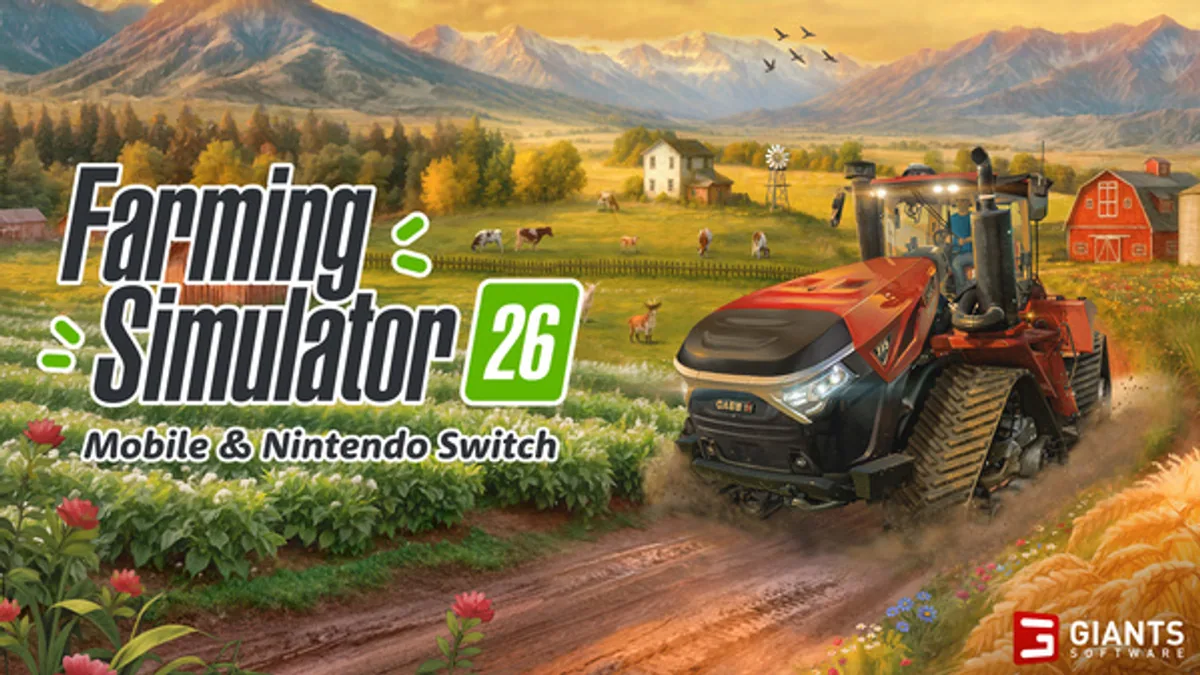
Farming Simulator 26 is easiest to start when you treat it as a Switch and mobile farm, not a broad PC setup. GIANTS Software framed the May 19, 2026 release around Nintendo Switch, iOS, and Android, with two maps, 15 crops, animals, production chains, GPS helpers, and more than 120 authentic machines. Use the farm route board near the top of this page to choose a device, map loop, crop lane, machine job, and profit check before expanding.
Last checked: June 1, 2026. GIANTS confirms the Switch and mobile launch details above. Exact crop prices, used-machine availability, store pricing, contract payouts, and production value can differ by patch, difficulty, region, and save settings, so use current in-game values before spending heavily.
Quick Answer
Open these Farming Simulator 26 pages first:
| Player problem | Open this page | Why it helps |
|---|---|---|
| I need a full session route | Farm route board | Searches platform, map, crop, machine, animal, production, and profit lanes from one place |
| I need to choose Switch or mobile | Switch and Mobile Guide | Compares touch controls, handheld comfort, storage, sessions, and save habits |
| I do not know which map to learn | Maps Guide | Turns the two-map launch into route choices instead of wandering |
| I am broke after buying equipment | Money Guide | Keeps early cash tied to contracts, crop timing, and machine restraint |
| I want to know if a crop is worth selling | Profit Calculator | Lets you enter your own price, yield, fees, and machine costs |
| I need a simple starter route | Beginner Guide | Gives the first farm order without assuming PC controls |
| I want crop, animal, and machine planning | Crops and Animals | Keeps crop lanes, animal feed, and production goals in one planning table |
First Farm Route
| Step | Do this | Stop before… |
|---|---|---|
| Choose device | Decide whether this save is for short mobile sessions or longer Switch sessions | Starting two saves with different habits |
| Learn one map zone | Drive the road loop, shop route, field shape, and sell point route | Buying extra land because it looks close |
| Pick one crop lane | Use a simple crop with clear equipment needs | Splitting money across every crop type |
| Use contracts carefully | Take jobs that teach machines or map routes | Accepting far contracts that waste travel time |
| Buy machines by job | Match each machine to a field task you repeat often | Buying a shiny upgrade without a payback plan |
| Add animals or production | Add one side system after cash flow is stable | Feeding animals from crops you cannot replace |
The workspace checklist saves this route in-browser, so a short mobile session can stay focused on one job: contract, harvest, delivery, machine check, animal feed, or calculator pass.
This order matters because Farming Simulator mistakes usually start with scale. A new save feels open, but every extra field, crop, animal, and machine creates a new cost. On Switch and mobile, the best early save is readable: one map area, one crop rhythm, one reliable sell route, one machine upgrade at a time.
Current Launch Facts
| Confirmed item | Current read | Player impact |
|---|---|---|
| Release date | May 19, 2026 | The launch build is live, so active route planning matters more than release watching |
| Platforms | Nintendo Switch and mobile | Title and guide copy should not imply the usual PC-first Farming Simulator setup |
| Maps | Two maps | Compare route feel before relying on exact pins or field-price tables |
| Crops | 15 crops | Crop planning is useful now, but exact profit tables need current values |
| Machines | 120-plus authentic machines | A checklist helps players avoid overbuying early |
| Systems | Animals and production chains | Starter routes should add them after stable crop income |
| Helpers | GPS and touchscreen controls | Switch/mobile setup deserves its own page |
Which Page Should You Bookmark?
If you play short sessions, bookmark the platform page, maps guide, and money guide. Those three answer the common mobile problem: what can I do in ten minutes without losing the thread? Keep a short session to one contract, one harvest step, one delivery, or one machine check. Avoid starting a farm expansion unless you can finish the setup loop.
If you play longer Switch sessions, bookmark maps, crops and animals, and the profit calculator. Longer sessions usually create bigger decisions: should you add livestock, buy production equipment, change crops, or save for a machine? Those choices need route planning and current numbers.
What Not To Copy From Older Farming Simulator Habits
| Older habit | Why it can mislead here | Better Farming Simulator 26 habit |
|---|---|---|
| Assuming PC controls and mods | This launch is Switch and mobile focused | Check device comfort first |
| Following old crop profit charts | Crop values can differ by version and settings | Enter current sell prices into the calculator |
| Buying familiar machines early | Smaller sessions punish idle equipment | Buy by repeated job |
| Expanding into every system | Animals and production chains need feed and time | Add one side loop after crop income is steady |
| Ignoring travel time | Mobile sessions are shorter | Learn the sell route before buying distant land |
Guide Map
Use the hub as the route selector. The Switch and Mobile Guide should be the first stop if you are choosing where to play. The Maps Guide should be the first stop if you already own the game and feel lost. The Money Guide should be the first stop if your farm is spending faster than it earns. The Profit Calculator should be open once you can read current prices in your own save.
Sources
FAQ
Is Farming Simulator 26 on Switch and mobile?
Yes. GIANTS Software launched Farming Simulator 26 for Nintendo Switch and mobile on May 19, 2026.
What should I do first in Farming Simulator 26?
Pick the platform setup, learn one map, run one simple crop lane, then add animals or production after your machine flow is stable.
Does Farming Simulator 26 have maps and crops?
Yes. GIANTS lists two maps and 15 crops for the Switch and mobile launch build.
Should I use a fixed profit table?
Use fixed tables cautiously. For this launch build, the safer method is entering your current sell price, quantity, machine cost, and production cost into the calculator.