
Guides
Farming Simulator 26 Switch & Mobile: Which Version?
Quick Answer
Choose Switch if you want longer handheld sessions, buttons, TV play, and a single farm you can settle into. Choose mobile if you mostly want shorter crop, contract, and delivery checks with touch controls.
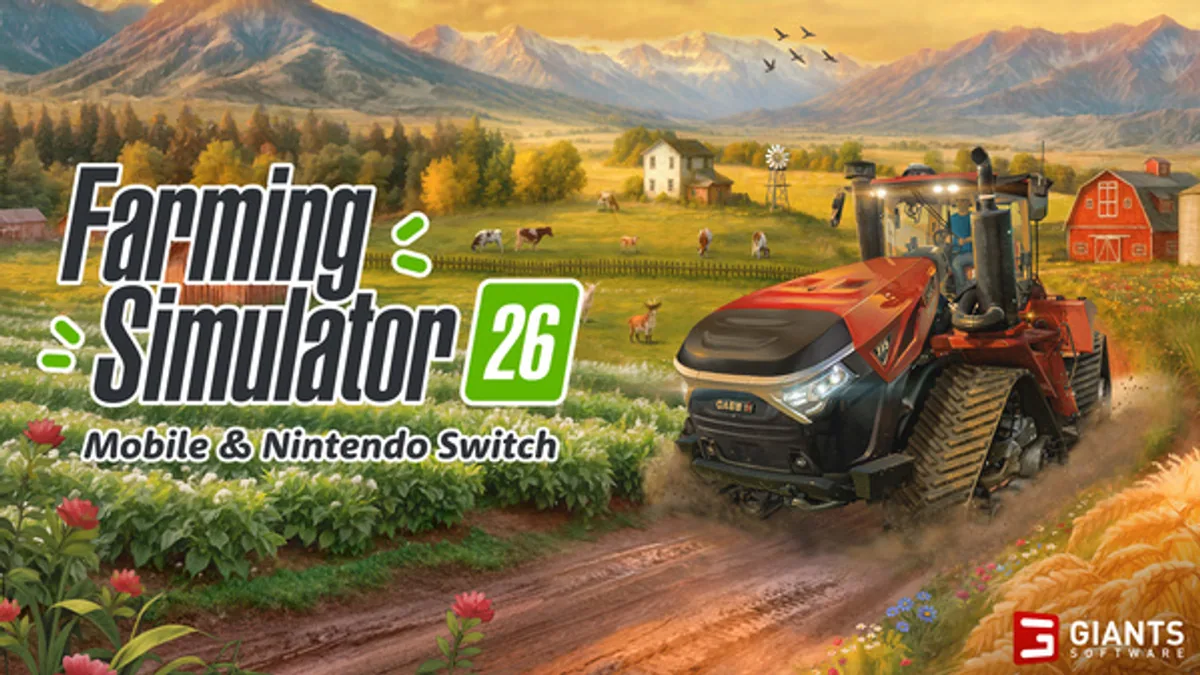
Farming Simulator 26 is a Switch and mobile-first farming sim release, so the first decision is not which graphics setting to tune on PC. The first decision is where your long save will actually feel playable. If you want buttons, a larger handheld screen, TV play, and longer farm sessions, start on Nintendo Switch or Switch 2 compatibility. If you want short crop checks, contracts, deliveries, and touch-first play, mobile can make more sense.
Last checked: May 29, 2026. GIANTS Software confirms Farming Simulator 26 launched for Nintendo Switch and mobile on May 19, 2026. Check your own store page for price, storage size, compatibility wording, device support, and any patch notes before starting a long save.
Quick Answer
| Choose this | Best for | Watch out for |
|---|---|---|
| Nintendo Switch | Longer sessions, button control, TV play, shared household saves | Storage space, battery, performance in busier farms |
| Switch 2 compatibility | Bigger handheld comfort and potentially smoother play | Store wording may still describe the Switch release rather than a separate native version |
| iOS | Short checks, touch-first controls, quick contracts | Small text, battery drain, storage, phone interruptions |
| Android | Short sessions across more device types | Performance varies more by model, storage, and OS version |
If you are unsure, pick the device where you can comfortably drive, reverse, attach tools, read UI text, and finish one contract without fighting the screen. Farming Simulator rewards routine. The better platform is the one where routine feels calm.
Device Decision Table
| Question | Switch answer | Mobile answer |
|---|---|---|
| Do I want physical buttons? | Strong fit | Depends on touch or controller support |
| Will I play for 45-90 minutes? | Better fit | Possible, but battery and hand comfort matter |
| Will I play for 5-15 minutes? | Good for one route | Excellent if touch controls feel natural |
| Do I need TV play? | Yes | No |
| Am I worried about tiny text? | Larger screen helps | Check your phone/tablet size first |
| Do I want one family console save? | Easier to keep together | More personal-device focused |
First Setup Checks
Before you commit to a main farm, do one test route:
- Open settings and check camera, steering, helper, and UI options.
- Drive one road loop between your starting field, shop, and sell point.
- Attach and detach a tool.
- Reverse with a trailer.
- Read crop, vehicle, price, and contract text without leaning in.
- Finish one small job or field step.
- Save, quit, reopen, and confirm the farm loads as expected.
That test is more useful than watching a perfect farm layout. If you cannot reverse comfortably on mobile, or if Switch performance bothers you once machines and fields become busy, you should know before buying land and equipment.
Switch Route
Switch is the safer default for a player who wants Farming Simulator 26 to become a main save. Physical buttons make steering, tool control, camera correction, and repeated field work less tiring. TV play also helps when you need to read machinery, fields, shop categories, and route details. If you play on Switch 2, check whether the store is describing compatibility or a separate release path, then test the same save basics before assuming every session will feel better.
The best Switch habit is a slightly longer route: check contracts, drive to the shop if needed, work one field, sell or store, then park machines cleanly. Do not use the larger screen as an excuse to expand too fast. A messy Switch farm is still messy.
Mobile Route
Mobile makes sense when Farming Simulator 26 is a daily pocket game. You can check prices, finish one crop step, run a delivery, or accept a short contract without turning on a console. The tradeoff is that farming sim controls ask a lot from a small screen. Steering, reversing, tool alignment, small UI text, and long fields can become tiring if your phone is small or your hands block the interface.
The best mobile habit is a short route. Do not start a complex harvest chain if you only have five minutes. Pick a job that ends cleanly: one delivery, one field pass, one shop check, one animal feed check, or one price comparison.
Common Platform Mistakes
| Mistake | Why it hurts | Better habit |
|---|---|---|
| Starting a main save before testing controls | A farm can become expensive before you notice comfort issues | Run the setup test first |
| Treating mobile like a PC session | Short sessions get interrupted | Choose tasks that end cleanly |
| Ignoring storage | Updates and save data need room | Check store size before installing |
| Buying machines on a small screen too quickly | UI mistakes can cost money | Confirm the job and attachment twice |
| Assuming every older FS tip applies | FS26 is Switch/mobile framed | Use current in-game values and controls |
Next Pages To Open
- Farming Simulator 26 Maps
- Farming Simulator 26 Money Guide
- Farming Simulator 26 Profit Calculator
- Farming Simulator 26 Hub
Sources
FAQ
Is Farming Simulator 26 only for Switch and mobile?
GIANTS launched this Farming Simulator 26 release for Nintendo Switch and mobile on May 19, 2026. Check the official page before assuming PC, PlayStation, or Xbox support.
Is Farming Simulator 26 better on Switch or phone?
Switch is better for longer sessions and physical buttons. Mobile is better for quick checks if touch controls feel comfortable on your device.
Does Switch 2 change the decision?
Switch 2 compatibility can make handheld comfort better, but you should still check store wording, controls, battery, and performance before treating it like a native Switch 2 release.